
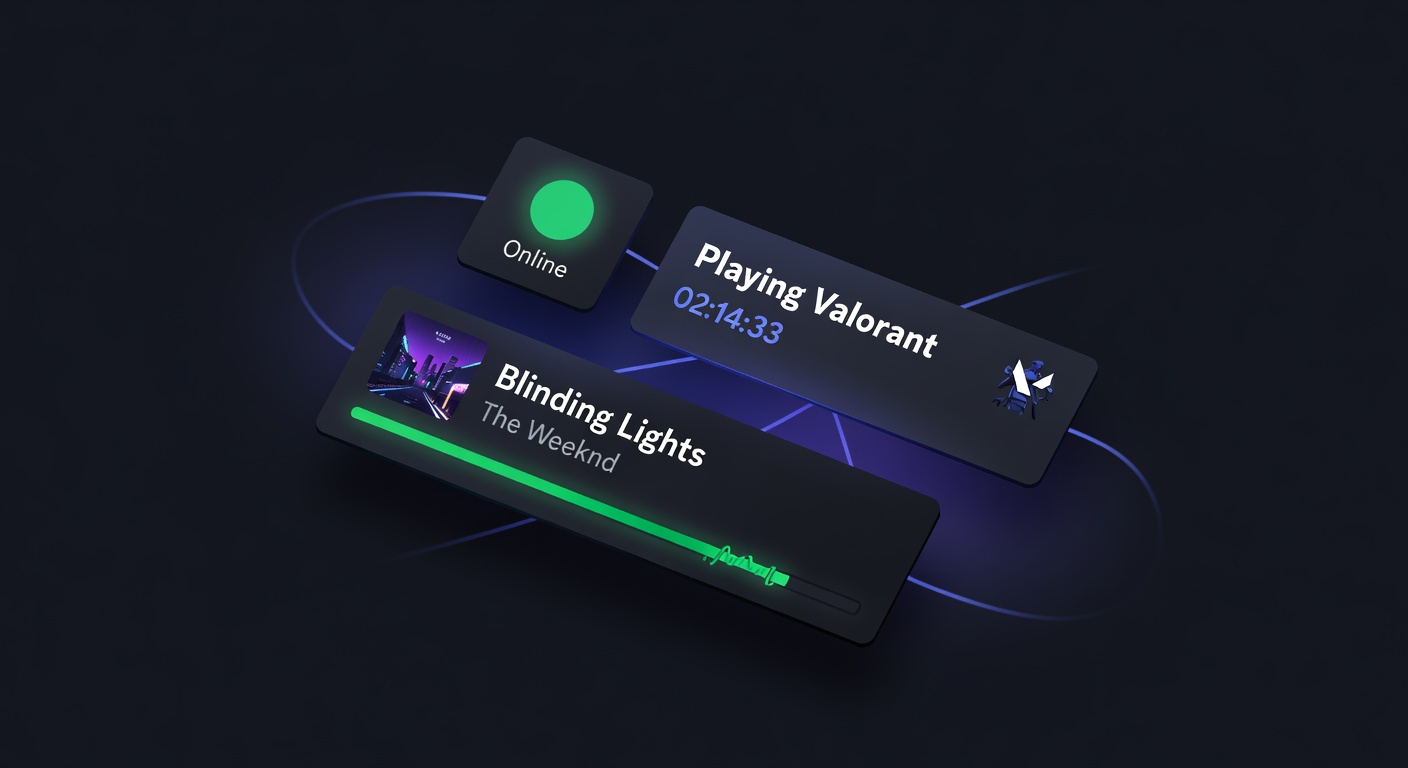
Discord Live Status Tracker: See Anyone's Online Status, Spotify & Game Activity
Track anyone's Discord status in real time — online/idle/DND, Spotify now-playing, game activity, and custom status. No Discord account needed.
What Is Discord Presence Data?
Discord presence is the real-time status information Discord broadcasts about its users. It answers four questions at any given moment:
- Is this person connected to Discord?
- Are they actively using it, or did they step away?
- Are they doing something — playing a game, listening to music, streaming?
- Have they set a message they want others to see?
Discord broadcasts this data to every server the user is in. Any bot connected to those servers with the right permissions receives presence updates — including the discord.dog bot. discord.dog collects this data and makes it viewable to anyone, without requiring them to share a server or have a Discord account.
Try it now → Visit discord.dog and look up any Discord user to see their live status.
Online Status: What Each Color Means
Discord has four status states, each represented by a colored indicator on the user's avatar. discord.dog shows these with the same color coding. For the full reference, see the Discord status colors guide.
Online (Green)
The user is actively connected to Discord. Their app is open and they've interacted with it recently. Discord automatically switches users to Idle after a period of inactivity even if the app stays open.
Idle (Yellow)
The user is connected but hasn't interacted with Discord recently — typically 5–10 minutes of no activity. This happens automatically. The user might have Discord open in the background, stepped away from their desk, or have the mobile app running but not in use.
Do Not Disturb (Red)
The user has manually set their status to Do Not Disturb. Notifications are suppressed. They're likely online and working but don't want to be pinged. This is always intentional — it doesn't switch automatically like Idle.
Offline / Invisible (Grey)
Either the user is not connected to Discord at all, or they've manually set themselves to Invisible. From outside the account, these two states look identical. An Invisible user receives notifications normally — they just appear offline to everyone else.
Client Indicators
Discord also broadcasts which client the user is on: desktop app, web browser, or mobile app. discord.dog shows all active clients simultaneously if a user is connected on multiple devices.
Spotify Tracking
Spotify integration is Discord's most popular Rich Presence feature, and discord.dog shows it in full detail.
When a Discord user connects their Spotify account and listens to music with the desktop app running, Discord broadcasts:
- Song title
- Artist name
- Album name
- Album artwork URL
- Track start time and duration
discord.dog uses these to render a live Spotify card with:
- Album art
- Song and artist name
- A progress bar that moves in real time, calculated from the start timestamp and track duration
- Time elapsed / total duration
This progress bar genuinely updates. It's not a static screenshot — the position reflects the actual current position in the song.
Note: Spotify tracking requires the user to have the Spotify connection active in their Discord app settings and to be listening through the desktop client. Mobile-only listeners may not always broadcast Spotify data.
For a deeper look, see the Discord Spotify tracker guide.
Game Activity
Discord detects most games automatically when they're running on the same computer as the Discord desktop app. This generates a Rich Presence event that gets broadcast to all shared servers.
discord.dog shows:
- Game name — the title Discord registered for the activity
- Status detail — the game's custom presence line (e.g., "In a ranked match", "Browsing menus")
- State line — a secondary line some games include (e.g., "5v5 Competitive", "Playing with 2 others")
- Elapsed time — how long they've been playing, counting up in real time
- Large and small images — games that implement Rich Presence can supply images (e.g., a map thumbnail or character icon)
Not every game exposes all of these fields. A simple game might only show the name and elapsed time. A game with full Rich Presence support (like many popular titles) shows the complete picture.
What Games Are Detected?
Discord maintains a list of registered games and can also detect unlisted games by executable name. Most major PC games trigger detection automatically. Console games, mobile games, and games run in unusual ways (virtual machines, WSL) may not appear.
Custom Status
Custom status is a freeform field Discord users set manually. It can contain:
- An emoji (custom or standard)
- A text message up to 128 characters
- An optional expiry time (set to clear automatically)
discord.dog shows the full custom status — emoji and text — in real time. If a user changes their custom status, the update appears on their discord.dog profile within seconds.
Custom status is commonly used for:
- A brief bio or tagline ("building something cool")
- Current availability ("studying, slow to reply")
- A mood or activity ("watching a movie")
- A link or callout
How discord.dog Updates in Real Time
Most profile viewer tools show a static snapshot: they fetch data once, render it, and that's it. discord.dog is different because it maintains a live connection.
Here's the technical flow:
-
Bot Gateway connection — discord.dog runs a discord.js bot with
GUILD_PRESENCESandGUILD_MEMBERSprivileged intents. It maintains a persistent WebSocket connection to Discord's Gateway. -
PRESENCE_UPDATE events — Discord sends a
PRESENCE_UPDATEevent to the bot whenever a user's status, activity, or client changes. This happens for every user in any server where the bot is present. -
Redis pub/sub — When the bot receives a presence update, it publishes it to a Redis channel (
dd:presence:{userId}). -
WebSocket server — A separate WebSocket server subscribes to Redis. When your browser opens a discord.dog profile page, it connects to this WebSocket server and subscribes to that user's channel.
-
Browser update — When a presence update arrives, the WebSocket server pushes it to your browser. React updates the UI without a page reload.
The result: sub-second latency between a user changing their Discord status and it appearing on their discord.dog profile page in your browser.
Lanyard Fallback
Not every user shares a server with the discord.dog bot. For users who are in the Lanyard Discord server, discord.dog can use Lanyard's public API as a presence source. Lanyard tracks presence the same way — via a Gateway bot — and exposes it through a free REST and WebSocket API.
If neither the discord.dog bot nor Lanyard has presence data for a user, discord.dog shows the most recently cached status (if any) or nothing for the presence section. The static profile data (avatar, badges, bio) is still fully available.
FAQ
How does discord.dog show real-time presence?
discord.dog runs a Discord bot connected to Discord's Gateway with presence intents. When a user's status changes, Discord broadcasts an event to the bot, which publishes it to Redis. A WebSocket server then pushes that update to any browser currently viewing the profile — no page refresh needed.
Does the person know I'm checking their Discord status?
No. Viewing a profile on discord.dog is anonymous. Discord does not notify users when their public profile is accessed, and discord.dog does not send any notification.
Can I track what game someone is playing on Discord?
Yes. If the user is playing a game that Discord detects, discord.dog shows the game name, status details, and elapsed time, updating in real time.
Does status tracking work for users with private profiles?
Presence data is visible if the user shares a server with the discord.dog bot or is tracked via Lanyard. An invisible user will show as offline since that's what Discord broadcasts.
What does it mean when Discord shows someone as offline?
Offline means either the user is not connected to Discord on any device, or they've set their status to Invisible. These two states are indistinguishable from the outside.
Check live status now → Visit discord.dog and look up any user to see their real-time Discord status, Spotify, and game activity.
Frequently Asked Questions
How does discord.dog show real-time presence?
discord.dog runs a Discord bot connected to Discord's Gateway with presence intents enabled. When a user's status changes, Discord broadcasts an event to the bot, which publishes it to Redis. A WebSocket server then pushes that update to any browser currently viewing the profile — no page refresh needed.
Does the person know I'm checking their Discord status?
No. Viewing a profile on discord.dog is anonymous. Discord does not notify users when their public profile is accessed, and discord.dog does not send any notification. The target user has no way of knowing you viewed their status.
Can I track what game someone is playing on Discord?
Yes. If the user is playing a game that Discord detects (most games trigger this automatically via the desktop app), discord.dog shows the game name, status details, and elapsed time. This updates in real time as they switch games or stop playing.
Does status tracking work for users with private profiles?
Presence data is visible if the user shares a server with the discord.dog bot or is tracked via Lanyard. Discord's privacy settings don't prevent presence from being broadcast to shared servers — that's how Discord's own presence system works. A completely offline or invisible user will show as offline.
What does it mean when Discord shows someone as offline?
Offline on Discord means either the user is genuinely not connected to Discord on any device, or they've set their status to Invisible. Invisible users appear offline to everyone — including Discord bots and tools like discord.dog. There's no way to distinguish between truly offline and invisible from outside the account.
Try it on discord.dog
Paste a Discord ID, invite, or URL and see the public preview immediately.