
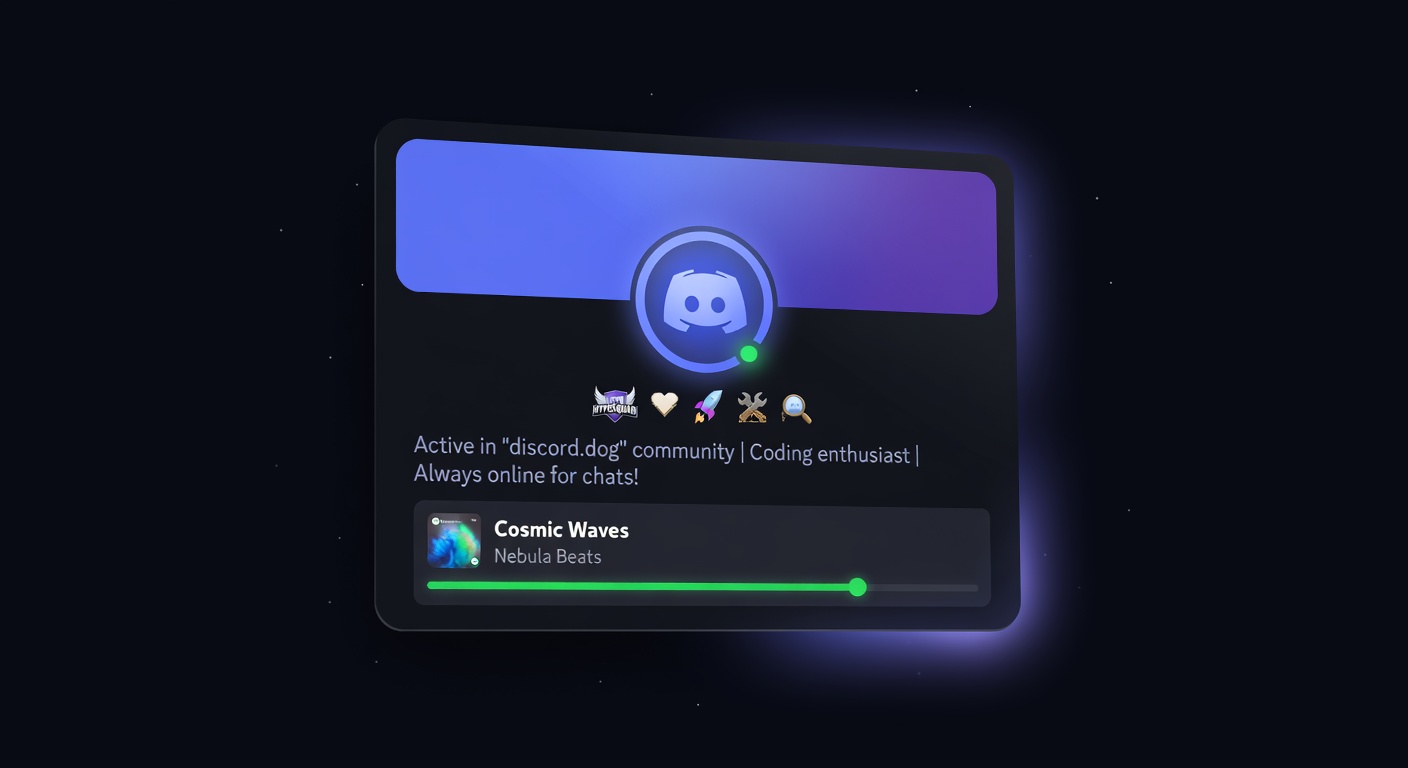
Discord Profile Viewer: See Any Discord Profile Without Logging In
View any Discord user's profile — avatar, bio, badges, connections, and live status — without a Discord account. Try discord.dog for free.
What Is a Discord Profile Viewer?
A Discord profile viewer is a tool that lets you see a Discord user's public profile information without opening Discord, creating an account, or being friends with them. Discord itself only shows profile data inside the app — and only if you share a server or are friends with someone. That restriction disappears on discord.dog.
discord.dog is a web platform that aggregates profile data from multiple sources — Discord's public API, presence data from the Gateway, and user-consented connections — and displays it all on a public, shareable page. Visit discord.dog/{userId} and you see the full picture.
This is useful in a lot of situations. You receive a Discord user ID from someone and want to know who it belongs to. You're vetting a potential collaborator and want to see their linked GitHub. You want to share your own profile with someone who doesn't use Discord. You want to check if a user's account is old enough to be legitimate. discord.dog handles all of these without requiring any app or login.
What Data Is Visible on a Discord Profile?
Discord exposes more data than most people realize, across several layers. discord.dog pulls from all of them.
Identity and Appearance
- Avatar — full-resolution, animated if the user has Nitro
- Username and display name — both the handle (
@username) and the global display name - Discriminator — the legacy
#0000tag for accounts that still have one - Banner — profile banner image or accent color gradient
- Theme colors — custom profile color scheme (Nitro feature)
- Profile effects — animated decorations around the avatar (Nitro feature)
- Avatar decoration — the ring/border around the avatar
Background Information
- Bio (About Me) — the freeform text users write about themselves
- Pronouns — displayed if set
- Account creation date — derived from the Discord snowflake ID
- Account age — how long the account has existed
Badges
Discord badges are small icons on profiles that represent achievements, status, and history. discord.dog shows all of them:
- Staff, Partner, HypeSquad (and which house: Bravery, Brilliance, Balance)
- Bug Hunter (Level 1 and Level 2)
- Early Nitro Supporter
- Active Developer
- Certified Moderator
- Nitro subscriber badge
- Server boost badge
- Quest and event badges
See the Discord badges explained guide for a full breakdown of what each one means.
Connections
Users who link external accounts to Discord can choose to display them publicly. discord.dog shows these linked accounts, which can include:
- GitHub, GitLab
- Spotify
- Steam
- Twitch
- YouTube
- Twitter / X
- Xbox, PlayStation, Battle.net
- LinkedIn, Facebook, TikTok, and others
See the Discord connections viewer guide for more detail.
Live Presence
This is where discord.dog goes beyond any other profile viewer. Presence data updates in real time:
- Online status — online (green), idle (yellow), do not disturb (red), or offline (grey)
- Client — whether the user is on desktop, mobile, or web
- Spotify — current track, artist, album art, and a live progress bar
- Game activity — game name, status details, time elapsed
- Custom status — the user's set emoji and text message
- Streaming — stream title and platform if the user is live
Try it now → Paste any Discord user ID at discord.dog to see their full profile, including live presence.
How to View Any Discord Profile
There are three ways to look up a profile on discord.dog:
Method 1: User ID (Snowflake)
Every Discord account has a unique numeric ID, called a snowflake. It looks like 125476553571303424. If you have someone's user ID, go to:
discord.dog/125476553571303424
discord.dog will detect it's a snowflake, resolve it as a user, and load the profile. If the snowflake resolves to a server instead, you'll see the server preview.
To get someone's user ID from Discord: open Settings → Advanced → enable Developer Mode. Then right-click any user and choose "Copy User ID."
See the how to find a Discord user ID guide for more options.
Method 2: Username
If you know someone's Discord username (the handle after the @ sign), you can look them up directly:
discord.dog/someusername
discord.dog checks its database of indexed usernames. If the user has been looked up before or is in a mutual server with the discord.dog bot, they'll appear.
Method 3: Custom Slug
Users who authenticate with discord.dog can set a custom vanity URL — for example, discord.dog/alice. This is separate from their Discord username and lets them create a clean, shareable profile link.
Live Presence: What Makes discord.dog Different
Most Discord profile lookup tools stop at static data — avatar, username, badges. discord.dog is different because it shows live presence, updating in real time without a page refresh.
Here's how it works technically: discord.dog runs a discord.js bot that connects to Discord's Gateway with GUILD_PRESENCES and GUILD_MEMBERS privileged intents. When a user's status changes — they go online, start a Spotify track, launch a game — Discord broadcasts a PRESENCE_UPDATE event to the bot. The bot publishes this to a Redis pub/sub channel. A WebSocket server subscribes to Redis and fans out the update to any browser clients currently viewing that profile.
The result is that when you're on someone's discord.dog profile page, their Spotify track's progress bar actually moves in real time. If they go idle, the status ring changes to yellow. If they stop playing a game, that card disappears.
This requires the user to share a server with the discord.dog bot, or the data is supplemented via Lanyard (a public Discord presence API). Either way, the presence data is live and accurate.
Spotify Tracking
Spotify is particularly detailed. discord.dog shows:
- Song title, artist name, album name
- Album artwork
- A live progress bar showing current position in the track
- Time elapsed and total track duration
This updates continuously. You can see what someone is listening to right now, down to the second.
Game Activity
When a user is playing a game that Discord detects (most games trigger this automatically):
- Game name
- Status line (e.g., "In a match" or "In main menu")
- Elapsed time
- Rich presence details if the game supports them
Discord Badges and Connections
Badges are one of the most-checked features on profile viewer tools. Here's what discord.dog surfaces that Discord itself sometimes hides.
Discord only shows badge icons in-app — you can't link to a profile and point to a specific badge without a tool. discord.dog lists all badges with their names and descriptions, making it easy to explain to someone what "Early Supporter" means or whether a Nitro badge is current or expired.
Connections are similarly useful. If you're considering hiring someone and they claim to be a prolific open source contributor, you can check whether their GitHub is actually linked to their Discord. If a streamer says they have a Twitch channel, their Discord profile can confirm it. This data is visible on discord.dog without needing to be their friend or share a server.
Tip: Some connections are only visible if the user has enabled "Display on profile" for that connection in their Discord settings. discord.dog shows whatever Discord makes public.
FAQ
Can I view a Discord profile without logging in?
Yes. discord.dog lets you view any Discord profile without a Discord account. Just paste a user ID, username, or profile URL into discord.dog and you'll see their full profile — avatar, bio, badges, connections, and live status.
What information is visible on a Discord profile?
A Discord profile can show: display name, username, avatar, banner, bio, pronouns, account creation date, all badges, linked connections (GitHub, Spotify, Steam, Twitch, etc.), and live presence data like online status, current Spotify track, and game activity.
Is viewing someone's Discord profile legal and safe?
Yes. Discord profiles are public by design — Discord exposes this data through its public API. discord.dog reads the same data Discord shows on user profiles. No private messages or restricted data are accessed.
How real-time is the presence data on discord.dog?
Very. discord.dog updates presence data via WebSocket. When someone's status changes or they start a Spotify track, it reflects on discord.dog within seconds, without you refreshing the page.
Can I download someone's Discord profile picture?
Yes. discord.dog shows the full-resolution avatar. You can right-click to save it, or append .png to any profile URL to get the raw image. Animated avatars (for Nitro users) are also shown.
Try it now → Go to discord.dog and paste any Discord user ID or username to see a full live profile instantly.
Frequently Asked Questions
Can I view a Discord profile without logging in?
Yes. discord.dog lets you view any Discord profile without a Discord account. Just paste a user ID, username, or profile URL into discord.dog and you'll see their full profile — avatar, bio, badges, connections, and live status.
What information is visible on a Discord profile?
A Discord profile can show: display name, username, avatar, banner, bio (About Me), pronouns, theme colors, account creation date, all badges (Nitro, Staff, HypeSquad, Early Supporter, etc.), linked connections (GitHub, Spotify, Steam, Twitch, etc.), and live presence data like online status, current Spotify track, and game activity.
Is viewing someone's Discord profile legal and safe?
Yes. Discord profiles are public by design — Discord itself exposes this data through its public API. discord.dog reads the same data Discord shows on user profiles. No account credentials, private messages, or restricted data are accessed.
How real-time is the presence data on discord.dog?
Very. discord.dog updates presence data via WebSocket — the same technology Discord uses itself. When someone's status changes or they start a Spotify track, it reflects on discord.dog within seconds, without you refreshing the page.
Can I download someone's Discord profile picture?
Yes. discord.dog shows the full-resolution avatar. You can right-click to save it, or append .png to any profile URL to get the raw image. Animated avatars (GIF, for Nitro users) are also shown if the user has one.
Try it on discord.dog
Paste a Discord ID, invite, or URL and see the public preview immediately.