
Discord ID Lookup: Find Any User or Server by Snowflake ID
Look up any Discord user or server by their snowflake ID. Get avatar, badges, account age, and live presence — instantly, no login needed.
What Is a Discord ID?
Every object in Discord has a unique numeric identifier: users, servers (guilds), channels, messages, roles, emojis — all of them. These IDs look like long strings of digits:
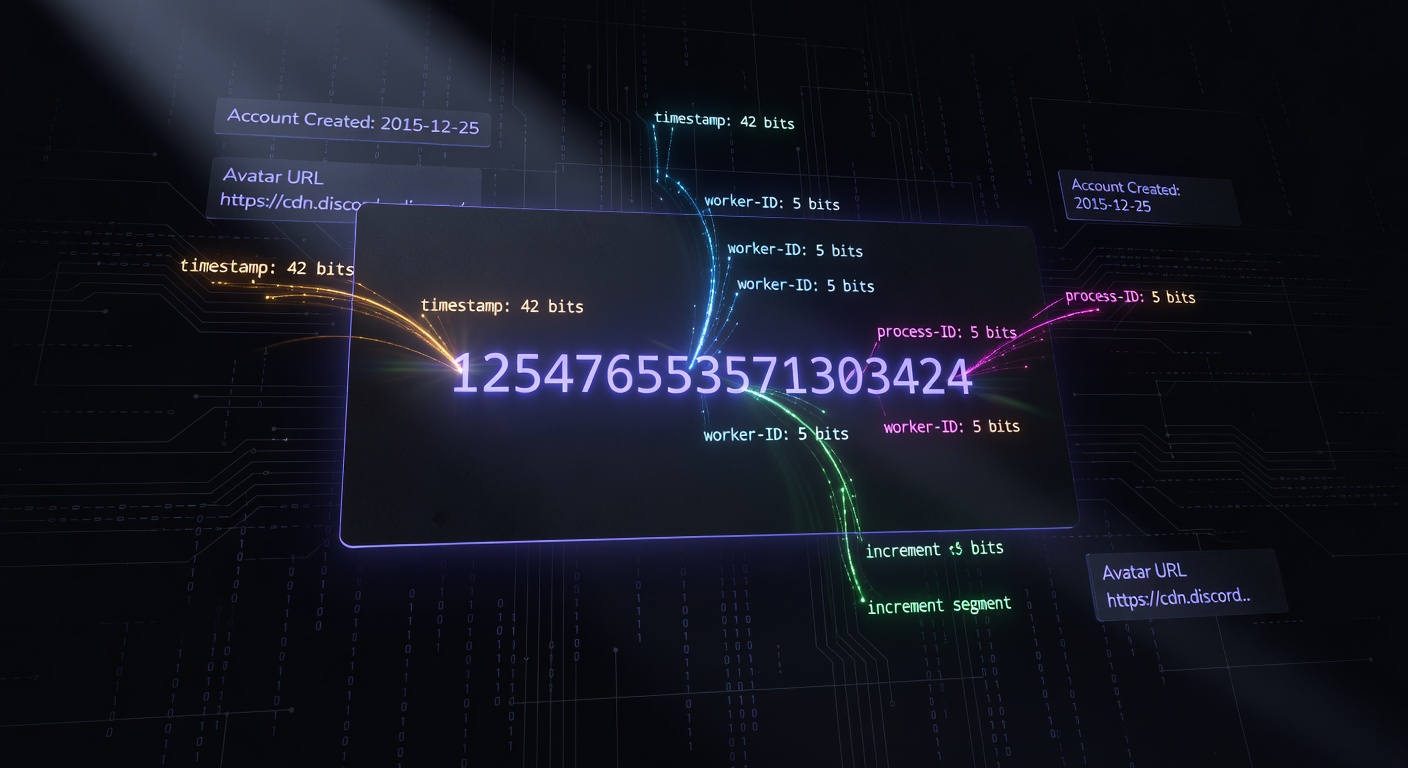
125476553571303424
That number isn't random. Discord uses a scheme called snowflake IDs, borrowed from Twitter's Snowflake system, which encodes a creation timestamp and internal metadata directly into the number. This means you can extract the exact moment an account or server was created from its ID alone — no database query required.
For most users, IDs are invisible. Discord displays usernames, display names, and server names in its interface. But under the hood, every action references IDs. When a bot responds to a user, it uses the user ID. When a moderator bans someone, the ban record stores the user ID. IDs are the permanent, stable identity — usernames can change, IDs cannot.
What Is a Snowflake ID?
Discord's snowflake format packs multiple pieces of information into a 64-bit integer:
| Bits | Content |
|---|---|
| 42 bits | Milliseconds since Discord epoch (January 1, 2015) |
| 10 bits | Internal worker and process IDs |
| 12 bits | Sequence number (for IDs generated in the same millisecond) |
The creation timestamp is the most useful piece. Given any snowflake ID, you can calculate the exact UTC datetime when that user registered or that server was created. discord.dog does this automatically and displays the result as a human-readable date and account age.
See the Discord snowflake ID explainer for the full technical breakdown, including how to decode one yourself.
How to Look Up a Discord User by ID
On discord.dog:
- Get the user's snowflake ID (see the how to find a Discord user ID guide if you need help)
- Go to
discord.dog/{userId}— for example,discord.dog/125476553571303424 - discord.dog resolves the ID, fetches data from Discord's API, and renders the full profile
The lookup takes under a second and returns:
- Avatar (full resolution, animated if applicable)
- Username and display name
- Banner and accent color
- All public badges
- Account creation date and age
- Live presence (online status, Spotify, game activity, custom status — if available)
- Bio and pronouns
- Connected accounts
Try it now → Paste any user ID directly at discord.dog — no account needed.
What If the ID Doesn't Resolve?
If a user ID doesn't return a profile, there are a few possible reasons:
- The ID is invalid (not a real Discord user)
- The account has been deleted
- Discord's API returned an error (rare)
discord.dog will show a clear error message rather than a blank page.
How to Look Up a Discord Server by ID
Server IDs follow the same snowflake format as user IDs. discord.dog auto-detects whether a snowflake belongs to a user or a server by trying both lookups in sequence.
To look up a server:
- Get the server's ID (right-click the server name in Discord with Developer Mode enabled → Copy Server ID)
- Go to
discord.dog/{serverId} - discord.dog resolves it as a guild and shows the server preview
The server lookup returns:
- Server name and icon
- Description
- Member count and online count
- Boost level and number of boosts
- Enabled features (Verified, Partnered, Community, etc.)
- Verification level
- Available public channels (if the discord.dog bot is in that server)
For a detailed walkthrough, see the Discord server ID lookup guide.
What Data Is Returned From a Lookup?
Here's a breakdown of what each lookup tier returns:
Tier 0: Public REST API (Always Available)
Discord's public bot API endpoint returns basic profile data for any valid user ID:
- Username, global display name, discriminator
- Avatar hash (used to construct the avatar URL)
- Banner hash and accent color
- Public flags (badges encoded as a bitmask)
- Bot flag (whether the account is a bot)
This data is always available for any real, non-deleted Discord account.
Tier 1: Gateway Presence (If Sharing a Server)
If the target user shares a server with the discord.dog bot (either the discord.dog community server or any server where the bot is installed), live presence data is available:
- Online status and client (desktop/mobile/web)
- Spotify activity
- Game activity
- Custom status
- Guild member data: nickname, roles, join date, boost status
Tier 2: OAuth Data (If User Has Logged In)
If the target user has authenticated with discord.dog, their consent to share connections is stored:
- Linked platforms (GitHub, Spotify, Steam, Twitch, etc.)
Tier 3: Lanyard (Supplementary)
Lanyard is a public presence API. If the target user is in the Lanyard Discord server, their presence data is available as a fallback.
Tier 4: Profile Endpoint (Full Data)
For bio, pronouns, theme colors, profile effects, and mutual server data, discord.dog uses Discord's profile endpoint. This returns the most complete picture of a user's public profile.
discord.dog vs Other ID Lookup Tools
There are a handful of Discord ID lookup tools available. Most of them:
- Only show basic data (username, avatar, account creation date from the public API)
- Don't show live presence
- Don't show connections
- Don't show bio or pronouns
- Don't update in real time
discord.dog is different in scope. It aggregates data from multiple tiers and shows everything Discord makes publicly accessible — not just what a single API call returns. The live presence feature in particular is unique: seeing someone's current Spotify track or online status in real time is not something other lookup tools offer.
The server lookup is also more complete. Where other tools show basic server info, discord.dog can show the full channel structure and message feed if the bot is in that server.
FAQ
What is a Discord snowflake ID?
A Discord snowflake ID is a unique numeric identifier assigned to every Discord entity — users, servers, channels, messages, roles. The number encodes the creation timestamp of the entity plus internal metadata, making it globally unique without a central registry.
Where do I find someone's Discord user ID?
Enable Developer Mode in Discord (Settings → Advanced → Developer Mode), then right-click any user and choose "Copy User ID". You can also find your own ID via Settings → My Account.
What data does a Discord ID lookup return?
A user ID lookup returns: username, display name, avatar, banner, badges, account creation date, account age, live presence (if available), bio, pronouns, and connections. A server ID lookup returns: server name, icon, banner, description, member count, online count, boost level, and available channels.
Is it safe to share your Discord user ID?
Yes. A Discord user ID only lets someone look up your public profile. It does not grant access to your account, messages, or any private data. Your ID is not secret.
What is the difference between a user ID and a server ID on Discord?
Both are snowflake IDs in the same format. discord.dog auto-detects which type you've entered by trying to resolve it first as a user, then as a server. 17–20 digit numeric strings are treated as potential snowflakes.
Look up any Discord ID now → Visit discord.dog and paste a user ID or server ID to get the full profile instantly.
Frequently Asked Questions
What is a Discord snowflake ID?
A Discord snowflake ID is a unique numeric identifier assigned to every Discord entity — users, servers, channels, messages, roles. The number encodes the creation timestamp of the entity plus internal metadata, making it globally unique without a central registry.
Where do I find someone's Discord user ID?
Enable Developer Mode in Discord (Settings → Advanced → Developer Mode), then right-click any user and choose 'Copy User ID'. You can also find your own ID via Settings → My Account. If you only know the username, discord.dog's username lookup can help find the ID.
What data does a Discord ID lookup return?
A user ID lookup returns: username, display name, avatar, banner, badges, account creation date, account age, live presence (if available), bio, pronouns, and connections. A server ID lookup returns: server name, icon, banner, description, member count, online count, boost level, and available channels.
Is it safe to share your Discord user ID?
Yes. A Discord user ID only lets someone look up your public profile — the same information visible to anyone in a shared server. It does not grant access to your account, messages, or any private data. Your ID is not secret and Discord shows it to anyone in a server with you.
What is the difference between a user ID and a server ID on Discord?
Both are snowflake IDs — the same format. discord.dog auto-detects which type you've entered by trying to resolve it first as a user (via Discord's user API), then as a server (via guild preview and invite APIs). 17–20 digit numeric strings are treated as potential snowflakes.
Try it on discord.dog
Paste a Discord ID, invite, or URL and see the public preview immediately.